Aman
Designed for bigger screens.
This portfolio is best experienced on desktop
☕️ See you on a larger screen
3DEXPERIENCE Internal Support Application
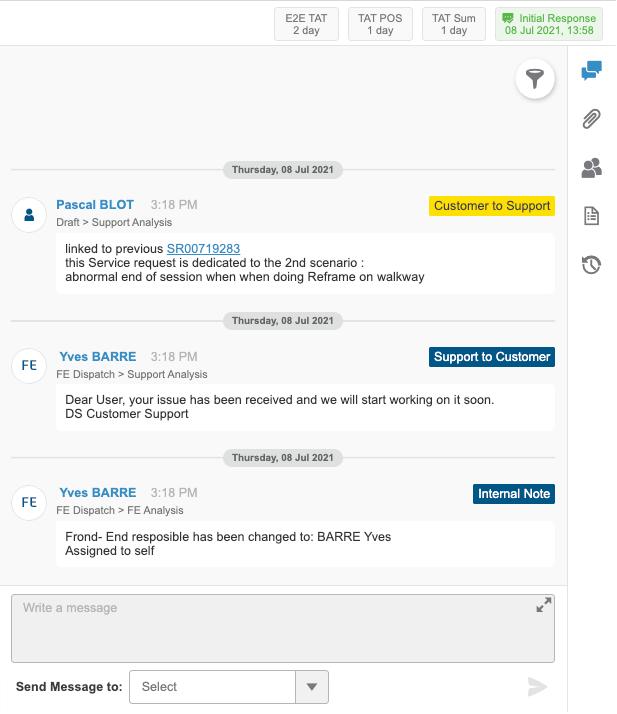
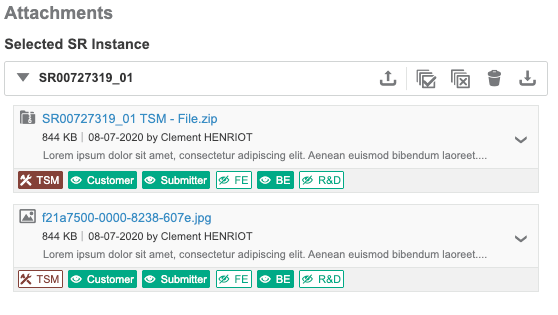
Re-designed support application that increased teams efficiency by 50%
Redesigning 3DSupport to simplify complex service request workflows, improve visibility, and enhance collaboration across Dassault Systèmes internal teams.

My Contributions
Managed end to end design experience, and got deep understanding of the workflow

Timeline
6 months, multiple release while addressing feedback and smooth delivery

Team
1 Designer, 3 Product Managers, 8 developers
TL; DR
A quick overview of the entire project

The Challenge
The legacy support system was complex, scroll-heavy, and lacked structure.

Approach
Conducted user research, interviews, and usability tests across internal teams.

Solution
Introduced a modular tabbed layout and guided workflows,

Impact
Enabled faster ticket management, better visibility, and stronger stakeholder alignment.
Context & Problem
3DSupport App is Dassault Systèmes internal online request management tool designed for employees across Front-End, Back-End, and R&D teams. It enables users to submit, track, and manage Service Requests (SRs) that arise in any Dassault Systèmes portfolio of products.These Service Requests can be of two types and are further divided into categories and sub-categories:
- Technical SRs: Issues that require a code change or technical intervention (e.g., API malfunction, integration bug).
- Non-Technical SRs: Issues related to process, documentation, access, or configuration that do not require a code change.
Background
Previously, ticket management was performed through DSx.Client Care, a legacy third-party application. While functionally sound, it posed significant usability and workflow challenges for internal teams.
As Dassault aimed to streamline its internal tools ecosystem and promote platform adoption, migrating to a custom-built 3DEXPERIENCE solution became a strategic necessity.
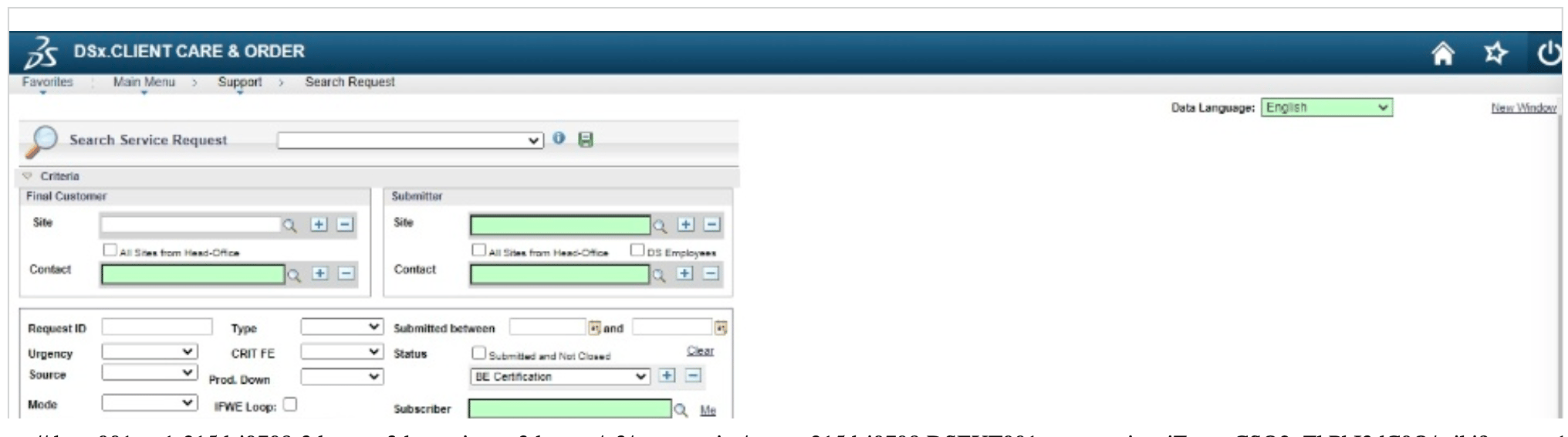
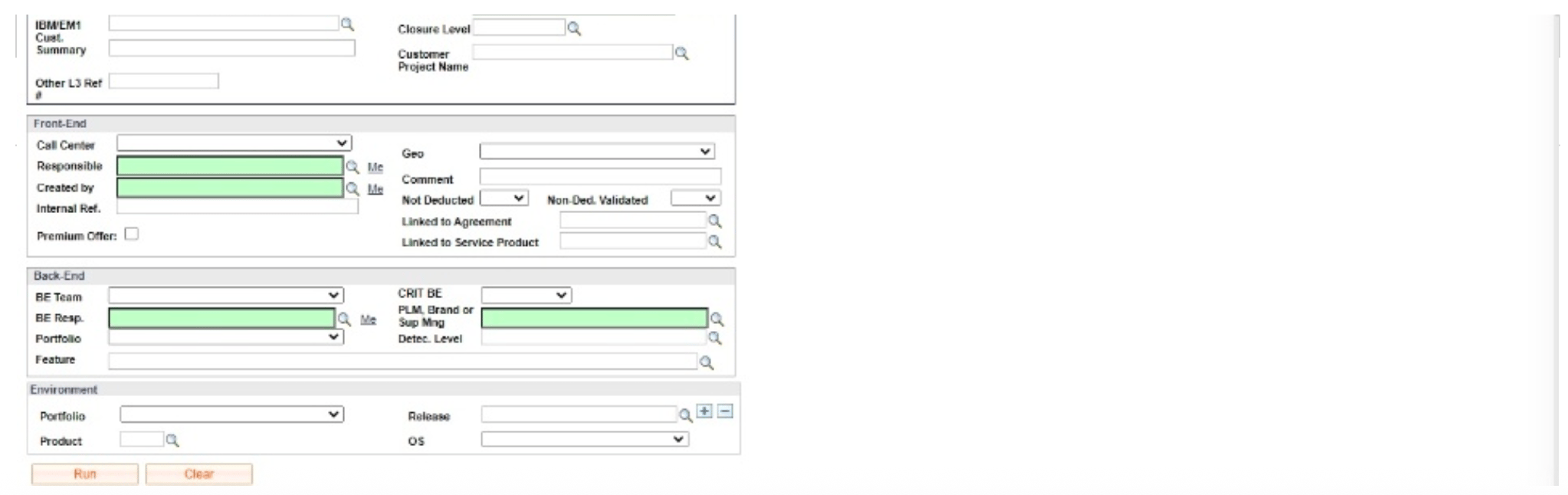

No categories of technical vs non technical service requests
User have to write a query to search any service request. No table for users to manage
User feedback
“It takes a lot of time for me to understand the issue and gather all the required information because everything is on one long page.”
“It’s very difficult for me to find feedback coming from different teams. All comments and notes are displayed together.”
Core issues discovered
1
Complex work flow
Users often struggle to understand the multiple steps and dependencies involved in raising and tracking a ticket.
2
Legacy UI
The outdated interface does not follow modern design principles, making navigation unintuitive and time-consuming.
3
No Dashboard
There’s no consolidated view to track active, pending, or resolved tickets. Which significantly impacts efficiency

Problem Statement
How might we
Simplify the complex service request process to help users quickly locate, understand, and manage their tasks
Users




DS Support

Partners
Resellers who have sold DS Products/Role/Portfolio to customers
Customers
Sites which are using DS products/Role/ Portfolio

Front End Engineer
Back End Engineer
Stakeholders interview
Spoke with users to understand the current workflow and pain points, also with PMs and BAs to gather more insights
10 +
Product Engineers
Major feedback was on the layout and the old UI without much access to features
3
Product Managers
2
Business Analyst
Understood navigation is very confusing for users and it painful to find linked SRs
Feature Ideation
Using Kano Model
Performance Needs (Linear Satisfaction)
Excitement/Delighter Needs
Basic Needs (Must-Haves)
Organizes information logically, reducing cognitive load and scroll fatigue.
Provides relevant help articles, FAQs, and best practices within context.
Ability to preview, download, and manage attachments without leaving the SR.
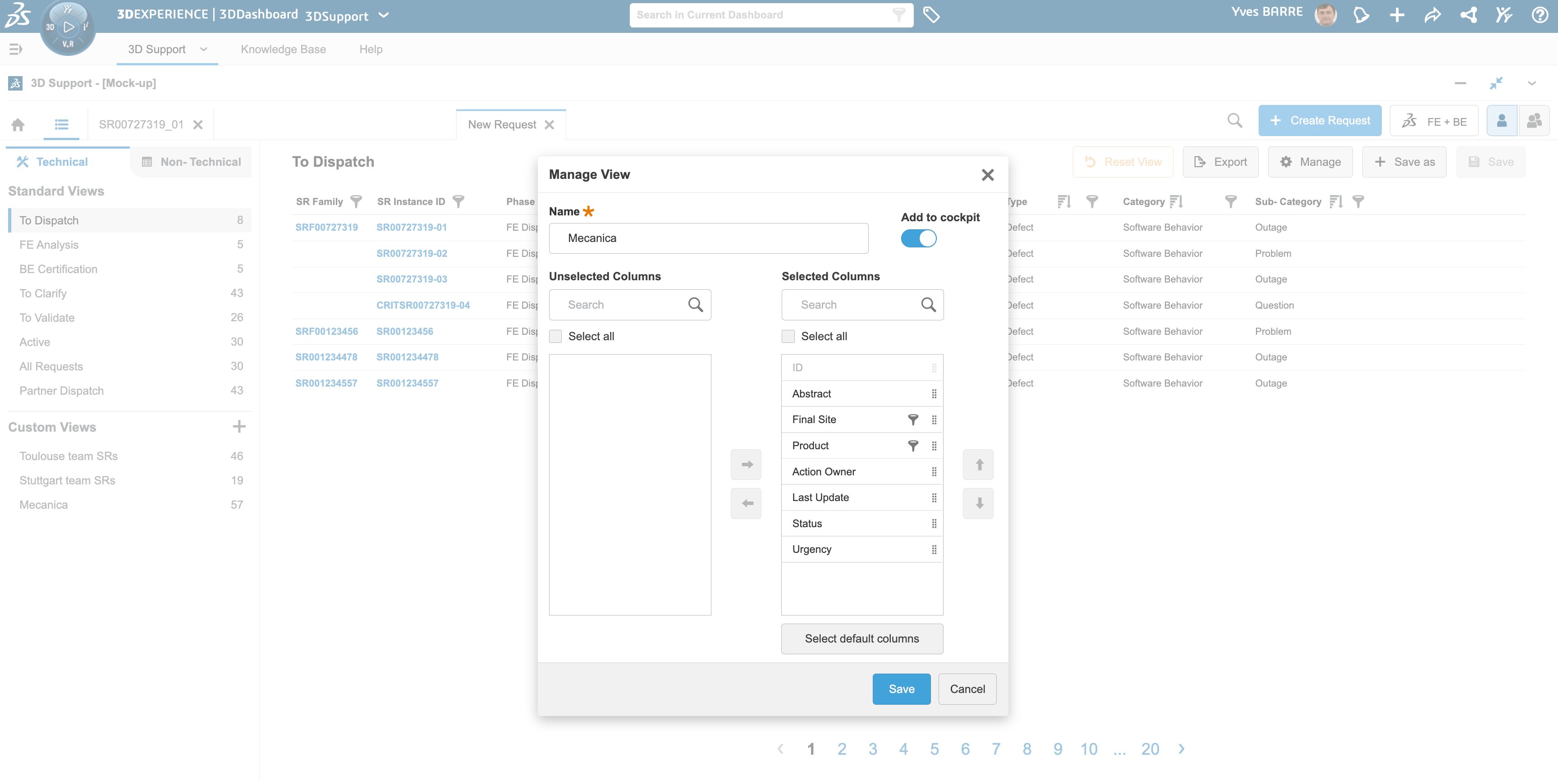
Ability for users to filter and create custom views
Shows visual progress of SLA deadlines and ticket health.
Separates SR types visually and logically, reducing confusion.
Differentiates between internal and external communication.
Displays personalized insights (e.g., open SRs, average resolution time, assigned tickets).
Replaces manual queries with predictive, easy-to-use search options.
Guides users through SR creation and resolution with clear next steps.
Provides smart alerts (e.g., “New comment from R&D” or “SLA breach warning”).
Ability to filter activity and communication
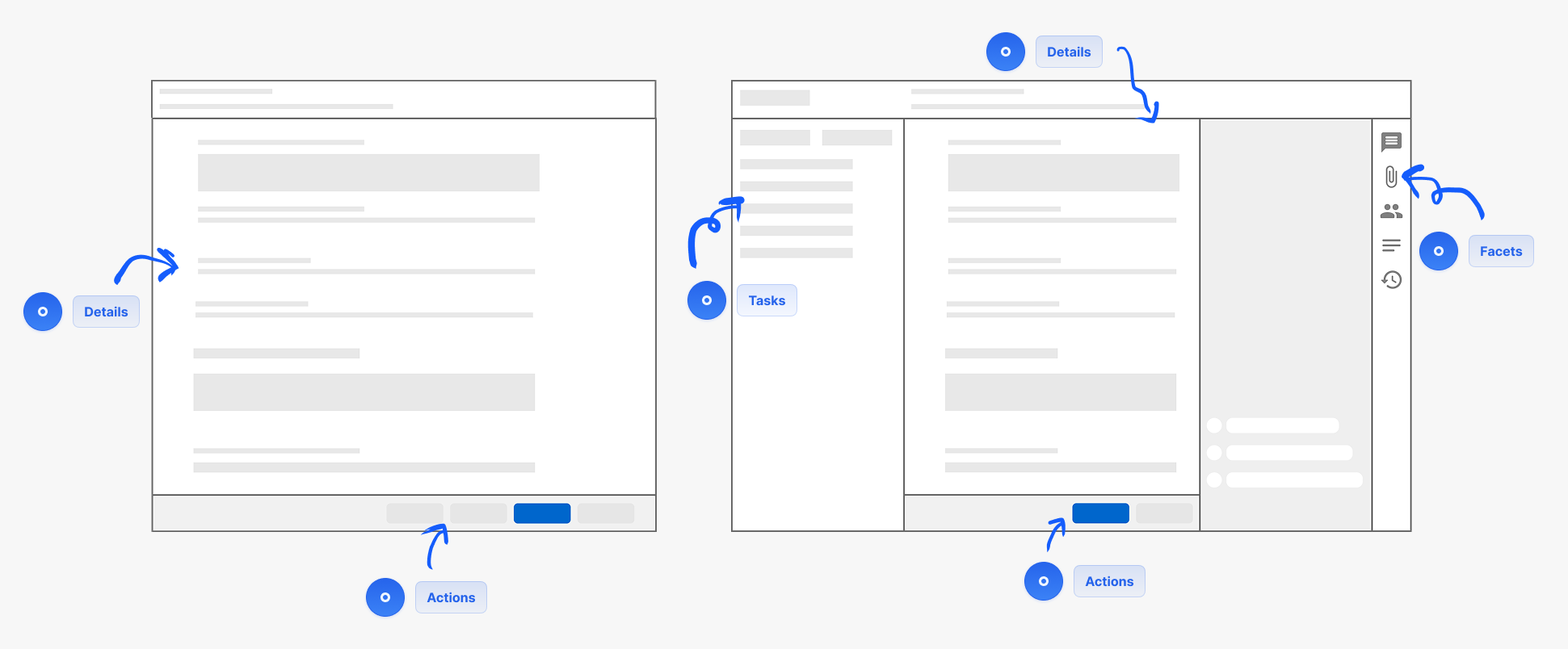
Layout
Navigation and heirarchy
Final Design
How it works

Partners (Accenture)
My customer is not able to use CATIA from their remote desktop. what should I do now?
Issue comes up
Request Creation
Request dispatched to DS
Request resolution
Closure Proposal
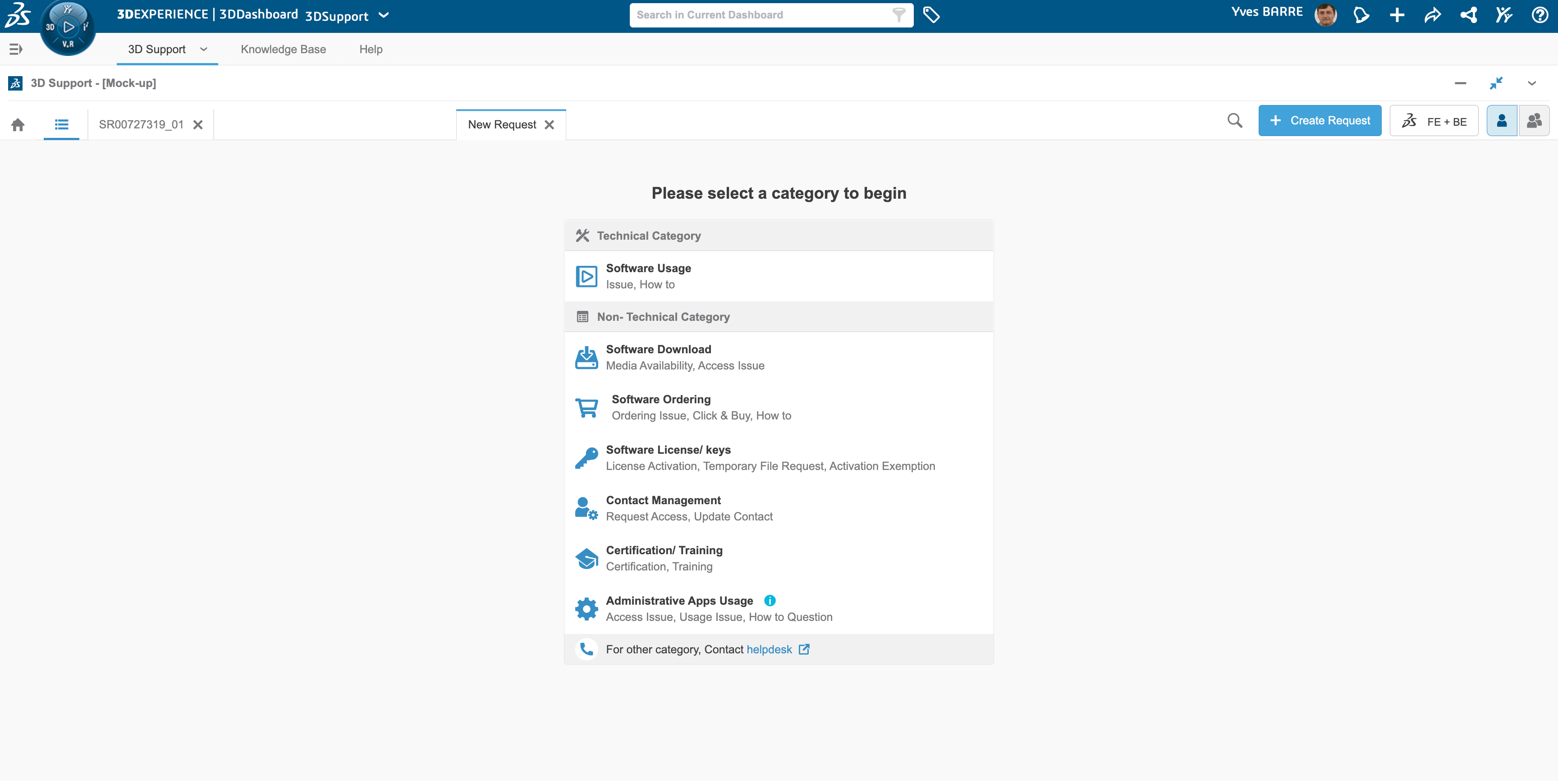
User selects a category to create request, under technical and non technical classification
Issue comes up
Request Creation
Request dispatched to DS
Request resolution
Closure Proposal
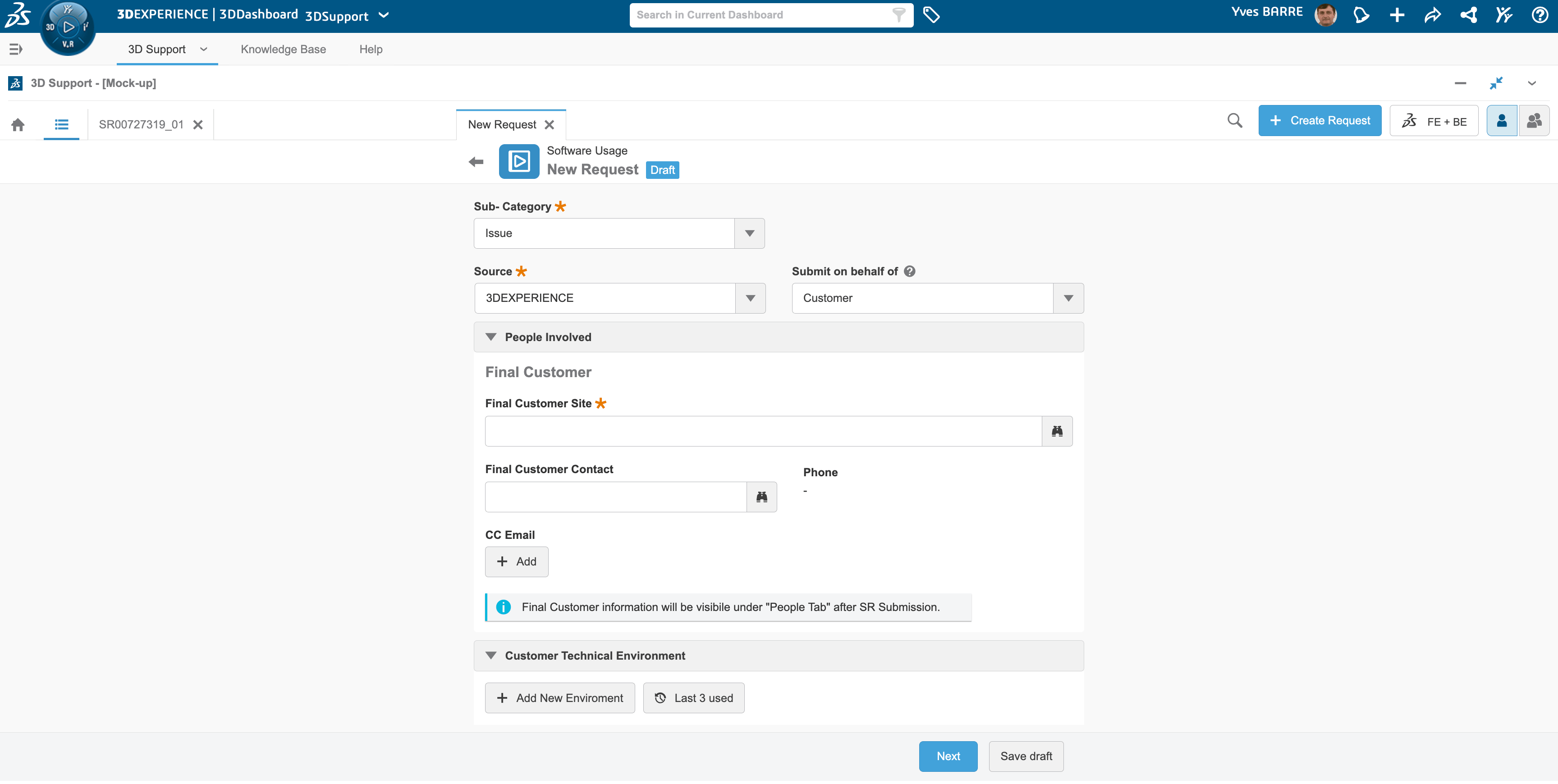
Adds all the detail and uploads necessary document, then submits the request
Issue comes up
Request Creation
Request dispatched to DS
Request resolution
Closure Proposal
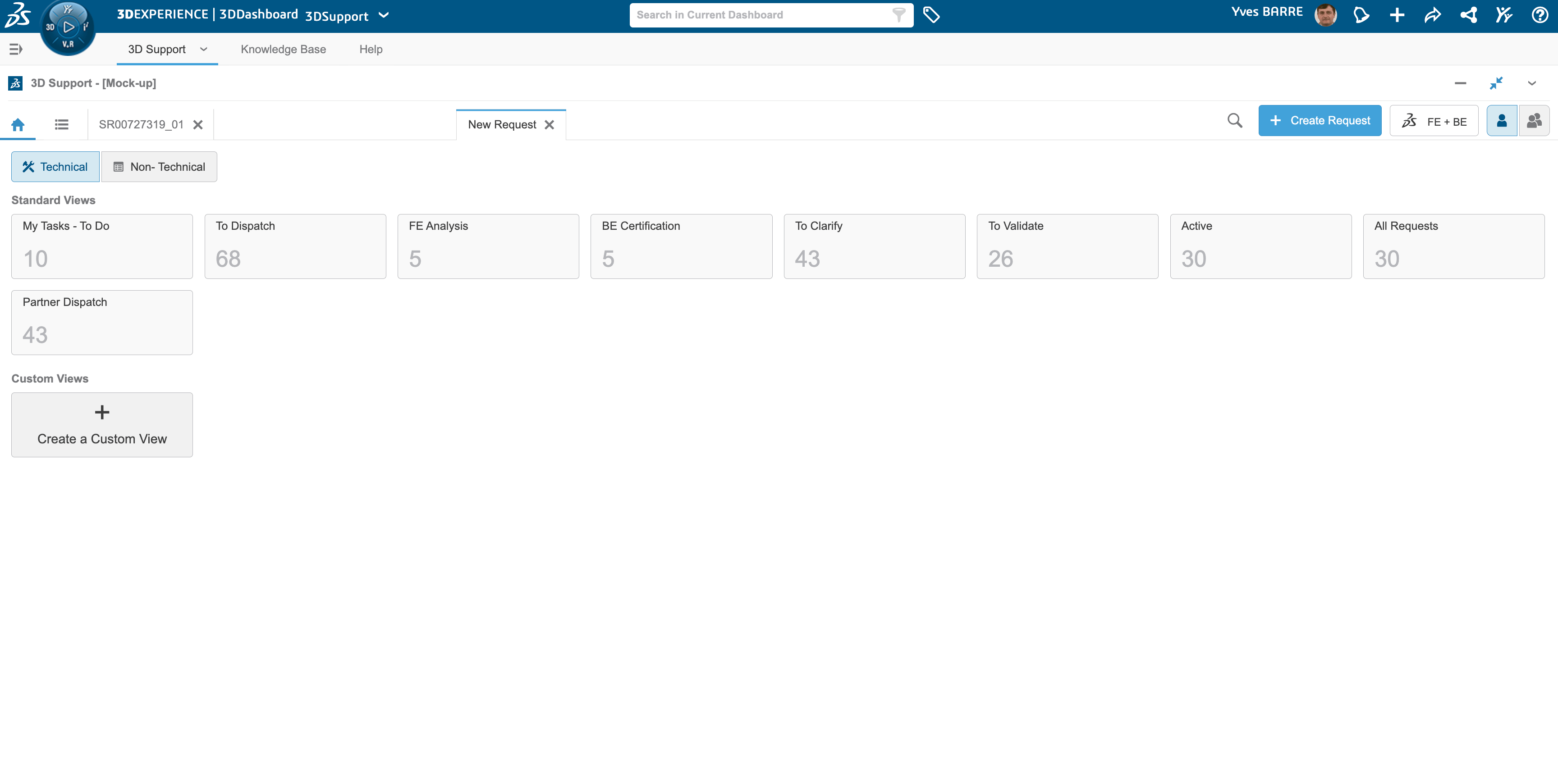
Request reach to DS support team
Issue comes up
Request Creation
Request dispatched to DS
Request resolution
Closure Proposal
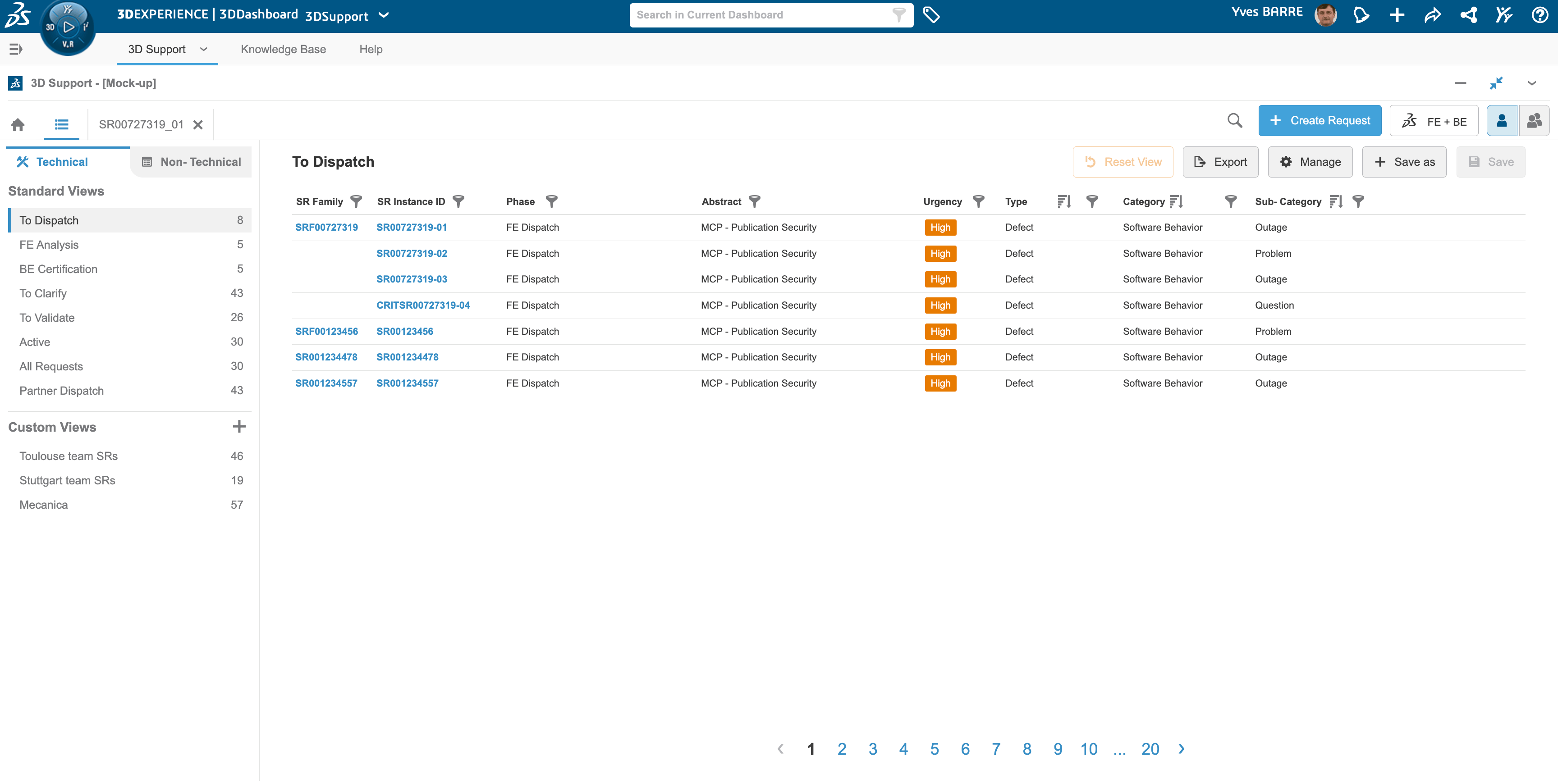
User can see list of issues and create custom views to manage and prioritise the service request
Issue comes up
Request Creation
Request dispatched to DS
Request resolution
Closure Proposal
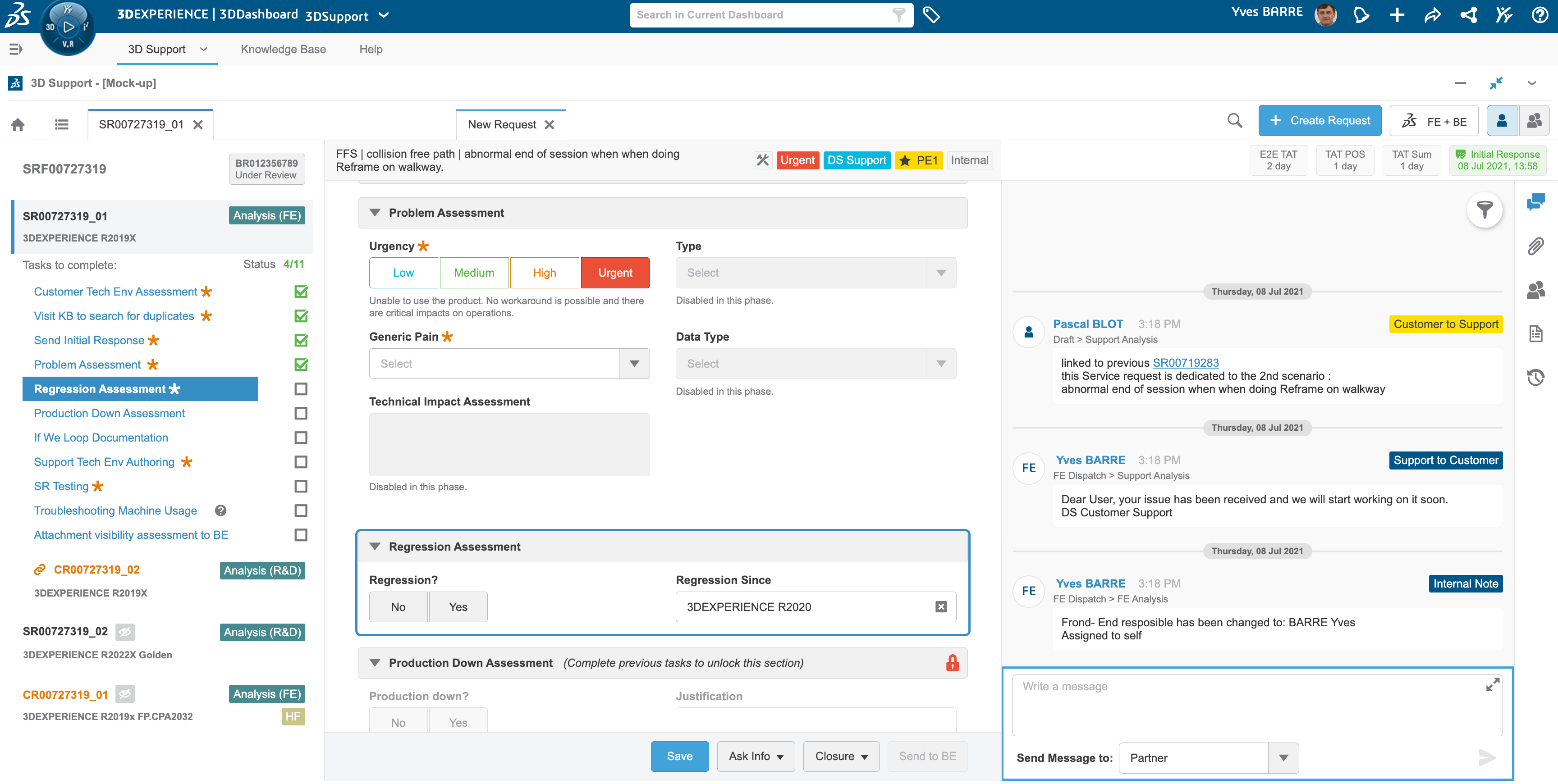
DS support team starts solving the issue methodically
Issue comes up
Request Creation
Request dispatched to DS
Request resolution
Closure Proposal
Service request goes through multiple phases and validated by various stakeholders from DS Support team


Front End Engineer
Back End Engineer
R&D


Issue comes up
Request Creation
Request dispatched to DS
Request resolution
Closure Proposal

The service requested is marked as closed once, partner validates and accepts the solution provided by the team
Front End Engineer
Partner
Back End Engineer
R&D
Issue comes up
Request Creation
Request dispatched to DS
Request resolution
Closure proposal
Key Outcomes
Result Post Launch
50%
Reduction in the initial response time
79%
Reduction in service reqest misclassification
Learning curve significantly reduced for new users.
Learnings
Effective Stakeholder Management is Key to Design Alignment
Regular design reviews, open feedback loops, and data-backed decision-making were crucial in aligning everyone toward a shared goal. Instead of designing by opinion, we created consensus through evidence, prototypes, and measurable outcomes.
Complex Systems Need Progressive Disclosure
Users don’t need to see everything at once. Breaking down the service request process into modular, task-based steps made it easier for users to focus on one action at a time — reducing cognitive overload and scroll fatigue.
Internal Tools Deserve the Same UX Rigor as Customer-Facing Products
Internal users are often experts but still constrained by inefficient systems. Applying user research, usability testing, and iterative design to an internal support tool showed measurable gains in productivity and satisfaction.